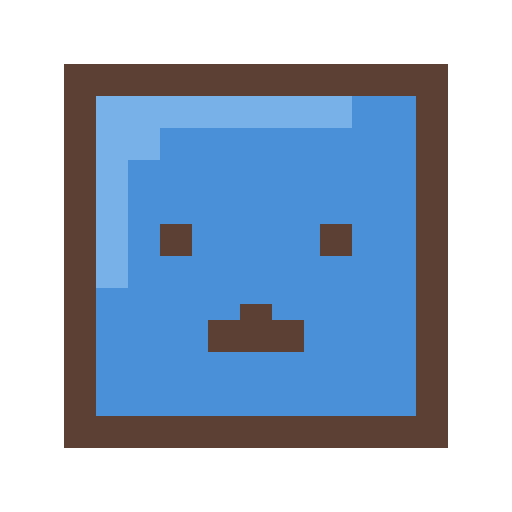
Square Face GeneratorCreate Square Face Pixel Avatars Instantly, No Flash Required
Create adorable square-shaped pixel avatars in seconds with our free square face icon generator. 200+ customizable parts, instant preview, and high-quality PNG download. Perfect for Discord, Twitter, TikTok, and gaming profiles.
What is Square Face Generator?
Square Face Generator is the best free square face icon generator that lets you create adorable square-shaped pixel avatars in seconds. With 200+ customizable parts, our free square face icon generator ensures your pixel avatar is unique.
Whether you need a profile picture for Discord, Twitter, TikTok, or gaming platforms, our square face icon generator delivers high-quality pixel art avatars without any signup, downloads, or hidden fees. Everything runs directly in your browser - your creations stay private on your device.
Why Our Free Square Face Icon Generator is the Best Pixel Avatar Tool
Most square face generators and pixel avatar tools rely on Flash. Our free square face icon generator is faster.
Our generator is built from the ground up with modern HTML5 Canvas technology. No plugins, no waiting, no frustration - just instant creative fun.
Speed Comparison
| Feature | Our Square Face Icon Generator | Flash-Based Tools |
|---|---|---|
| Loading Time | < 1 second | 5-10 seconds |
| Mobile Support | Fully Optimized | Limited / Broken |
| Undo/Redo | 50 steps | None |
| Part Locking | Yes | No |
| Export Sizes | 256 / 512 / 1024 | 256 only |
| Works Offline | Yes (PWA) | No |
Powerful Features for Creative Freedom
🎨200+ Square Parts for Your Pixel Avatar
Customize your square face avatar with skin, hair, and eyes. This free square face icon generator offers endless square face pixel avatar combinations.
↩️Undo & Redo (Up to 50 Steps)
Made a mistake? No problem. Our full history system lets you experiment freely and undo any change instantly. Try bold combinations without fear - you can always go back. This feature is not available in most competing tools.
🔒Lock & Randomize Your Square Face Avatar
Lock categories in our square face icon generator. The free square face icon generator makes pixel avatar creation easy.
📐Multiple Export Sizes
Download your square face icon in the size you need:
- 256×256 - Standard size, perfect for most platforms
- 512×512 - High quality for larger displays
- 1024×1024 - Maximum resolution for prints or upscaling
All exports maintain crystal-clear pixel art quality with no blurring.
🎭Transparent Background Support
Export your avatar with a transparent background for seamless integration into any design, or choose a solid color that matches your style.
🔗Shareable Links (100% Reproducible)
Every square face icon is encoded in the URL. Share your pixel avatar with one click using our square face generator.
Perfect Square Face Avatar for Every Platform
Our free square face icon generator creates the perfect pixel avatar for Discord, Twitter, and TikTok. Download your square face avatar now:
- 💬Discord - 128×128 minimum, 512×512 recommended for sharp display
- 𝕏Twitter / X - 400×400 recommended, our 512px export works perfectly
- 📱TikTok - 200×200 minimum, any of our sizes work great
- 📷Instagram - 320×320 minimum, 512×512 recommended
- 🎮Steam / Gaming - 184×184 for small, 512×512 for full size
- 🐙GitHub - 460×460 recommended, use 512px for best quality
- 📺Twitch - 256×256 to 400×400, all our sizes are compatible
The pixel art style of our square face generator scales beautifully at any size while maintaining that iconic blocky charm.
Square Face Generator vs Picrew: Which Should You Choose?
Picrew is a popular avatar maker platform where artists create custom generators. While Picrew offers variety, there are several reasons why users prefer our dedicated square face icon generator:
Key Differences
| Aspect | Our Square Face Generator | Picrew |
|---|---|---|
| Loading Speed | Instant (<1 sec) | Varies, often slow |
| Account Required | No | No (but browsing needed) |
| Style Consistency | Unified pixel art style | Varies by creator |
| Undo/Redo | Yes (50 steps) | Limited or none |
| Part Locking | Yes | Rarely available |
| Export Options | 3 sizes + transparent BG | Usually 1 size only |
| Mobile Experience | Optimized, touch-friendly | Often problematic |
| Language | 6 languages | Mostly Japanese |
For a classic square face pixel avatar, our free square face icon generator is the ultimate Picrew alternative. Create your square face icon today!
How to Use Our Free Square Face Icon Generator (Pixel Avatar Tutorial)
- 1
Open the Generator
Click "Start Creating" above. The tool loads instantly in your browser with a default avatar ready to customize.
- 2
Browse Categories
Use the tabs to explore 12 categories: skin, hair (bangs & sides), eyes, nose, mouth, eyebrows, cheeks, glasses, hats, clothes, and accessories.
- 3
Customize Parts & Colors
Click any part thumbnail to apply it. Use the color picker for skin tone, hair color, and clothing colors. Lock parts you like before hitting Random.
- 4
Use Random & Lock
Click "Random" for instant inspiration. Lock your favorite parts first to keep them while randomizing others. Use Undo if you don't like the result.
- 5
Download or Share
Choose your preferred size (256/512/1024), select transparent or solid background, and download your PNG. Or copy the share link to show friends your exact creation.
Your square face pixel avatar is ready! This free square face icon generator is the fastest pixel avatar tool online.
Your Privacy Matters
Your creativity should stay yours. Our square face generator is designed with privacy-first principles:
- 🔒100% Browser-Based - All avatar creation happens locally on your device. Nothing is uploaded to any server.
- 👤No Account Required - We don't collect emails, passwords, or any personal information.
- 🍪No Tracking Cookies - We use only essential localStorage to save your recent creations locally.
- 💻Open Source Friendly - The rendering happens entirely in your browser's Canvas API.
When you download your avatar, it goes directly from your browser to your device. We never see, store, or process your creations.
Get Inspired: Featured Avatars
Not sure where to start? Browse our curated collection of square face avatar styles created with this generator. Click any avatar to use it as a starting point for your own creation.
Each featured avatar is fully customizable. Use the "Randomize Like This" feature to generate variations based on a style you like.
Frequently Asked Questions
Yes, 100% free. There are no hidden costs, no premium tiers, no watermarks. We built this free square face icon generator because we love pixel art and wanted to share the fun.
No downloads required. Unlike older tools that need Flash or browser plugins, our free square face icon generator runs entirely on modern HTML5 technology. Just open the page and start creating.
You can export your avatar in three sizes: 256×256, 512×512, or 1024×1024 pixels. All sizes maintain crisp pixel art quality with no blurring.
Avatars you create are yours to use for personal profiles, social media, streaming, and similar purposes. For commercial projects (merchandise, resale, etc.), please check our license page for details.
Yes! Our free square face icon generator is mobile-friendly. Create a square face pixel avatar on any device.
No server storage at all. Everything happens in your browser. Your recent creations are saved in your browser's localStorage (only on your device). We never upload, store, or process your avatars.
The original tool was built with Flash, which is no longer supported by browsers. Some sites use Flash emulators (Ruffle) which are slow and sometimes unreliable. Our tool is built natively with HTML5 Canvas - faster, more reliable, and with additional features like undo/redo and part locking.
Yes! Your recent avatars are automatically saved in your browser. You can also copy the share link, which encodes your exact configuration. Bookmark it or save it anywhere - opening that link will perfectly restore your avatar.
If you want the classic square face pixel art style, our dedicated free square face icon generator is faster, has more features (undo/redo, part locking, multiple export sizes), works better on mobile, and supports multiple languages. Picrew is great for variety, but we specialize in this specific aesthetic with a polished experience.
Explore More
We've created in-depth guides for popular topics:
- Free Square Face Generator - Why we keep it free and how to make the most of every feature.
- Picrew Alternative: Square Face Style - Detailed comparison and why users are switching.
- Square Avatar for PFP - Platform-specific tips for Discord, Twitter, TikTok and more.
- Square Face Icon Generator Tutorial - Learn to use the free square face icon generator for pixel avatars.
- Community Gallery - Browse avatars created by other users.
Start Creating With Our Free Square Face Icon Generator Now
Ready to make your own unique square face pixel avatar? Our generator loads instantly, requires no signup, and gives you complete creative freedom with 200+ parts and powerful features like undo/redo and smart randomization.
Join thousands of users who've created their perfect profile pictures (PFP) with the fastest, most feature-rich free square face icon generator available online.